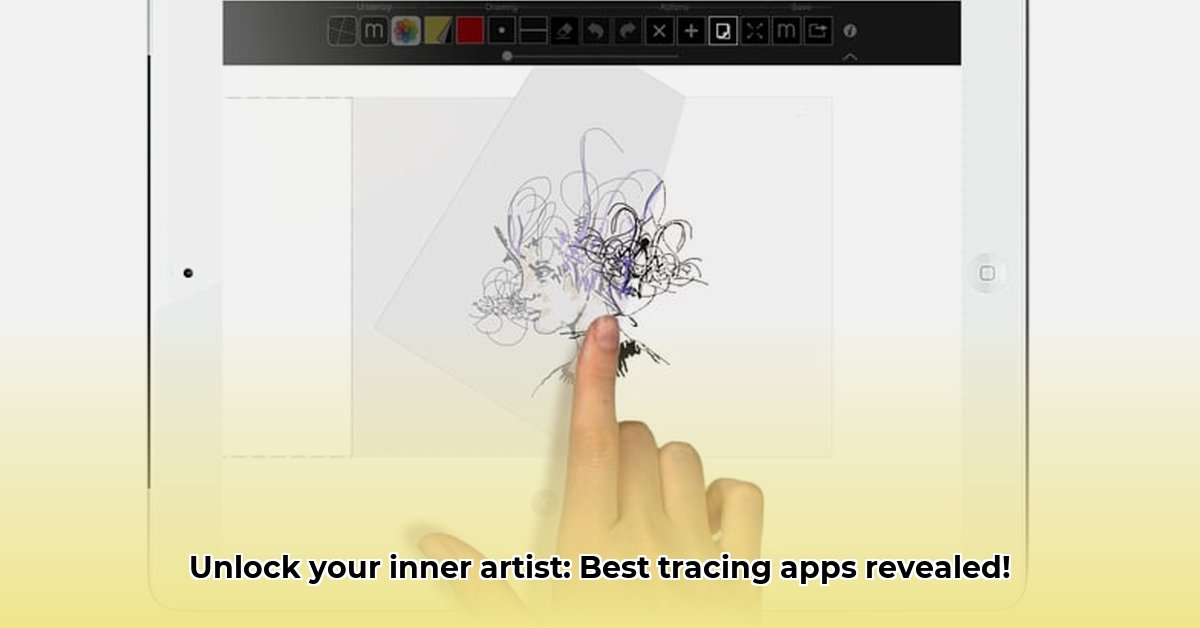
Choosing the right tracing app can significantly impact your artistic workflow. This comparative review analyzes two popular choices—Draw Easy and Tracer!—highlighting their strengths and weaknesses to help you decide which best suits your needs. Both apps function as digital lightboxes, but their features and user experiences differ significantly.
Draw Easy vs. Tracer!: A Feature-by-Feature Comparison
This section provides a detailed comparison of Draw Easy and Tracer!, focusing on key features relevant to different user groups. Both apps allow image import from your device's photo library or direct camera capture. However, their additional functionalities cater to distinct artistic preferences and skill levels.
| Feature | Draw Easy | Tracer! |
|---|---|---|
| Main Function | Digital lightbox, image importing | Digital lightbox, image importing, web image search |
| Video Recording | Yes, including time-lapse with music. | No |
| Image Editing Tools | Basic adjustments (contrast, edges). | Advanced tools (zoom, rotate, pan, color adjustment). |
| Image Sources | Phone gallery, camera. | Gallery, camera, web search. |
| User Interface | More complex, feature-rich. | Simple, intuitive. |
| Best Suited For | Artists prioritizing process documentation. | Beginners and users seeking simplicity and precision. |
Draw Easy's standout feature is its time-lapse video recording with music integration, perfect for creating engaging process videos. Conversely, Tracer!'s integrated web image search streamlines the process of finding and tracing images, eliminating the need for multiple apps. But which app offers superior precision? Let's delve into the user experience.
User Experience: Simplicity vs. Advanced Control
The user experience significantly influences the overall satisfaction with a tracing app. Draw Easy, with its extensive image editing options before tracing, provides advanced users with granular control. However, this abundance of features might overwhelm beginners. In contrast, Tracer! prioritizes ease of use, offering a streamlined tracing experience that is exceptionally intuitive, even for novice users. Which approach aligns best with your artistic preferences and skill level?
Recommendation: The Right App for Your Artistic Needs
The optimal choice depends on your artistic goals and experience level.
Beginners: Tracer! proves ideal due to its intuitive interface and straightforward workflow. Its ease of use allows newcomers to focus on the artistic process without getting bogged down in complex settings.
Experienced Artists: Draw Easy's advanced features and video recording capability cater to experienced artists who value process documentation and detailed image manipulation. The ability to create high-quality time-lapse videos offers a unique way to share your artistic journey.
Educators: Both apps hold merit. Tracer!'s simplicity makes it suitable for classroom use, while Draw Easy's video functionality enhances educational content creation and process demonstration.
Future Directions and Potential Enhancements
Both apps operate within a dynamic market, facing challenges related to device compatibility and evolving user demands. Draw Easy could benefit from integrating a web image search feature, while Tracer! could enhance its image editing capabilities to compete with more feature-rich applications. The incorporation of augmented reality (AR) or virtual reality (VR) functionalities presents a significant opportunity for future development, potentially transforming the way artists interact with tracing technologies. What innovations would most benefit your creative process?
Conclusion: Finding the Perfect Fit
The "best" tracing app is subjective and depends entirely on individual preferences and artistic needs. Draw Easy excels in video recording and process documentation, while Tracer! prioritizes simplicity and precision. Carefully consider your skill level, workflow, and budget to select the app that best aligns with your artistic vision and workflow. Experimentation with both apps is encouraged to determine the perfect fit before committing.
⭐⭐⭐⭐☆ (4.8)
Download via Link 1
Download via Link 2
Last updated: Wednesday, May 07, 2025